Distribution Flows
Audience: Admins | Category: Settings
Distribution is a visual designer for how captured checks flow from scanners through RDC Gateway, and into your accounts.
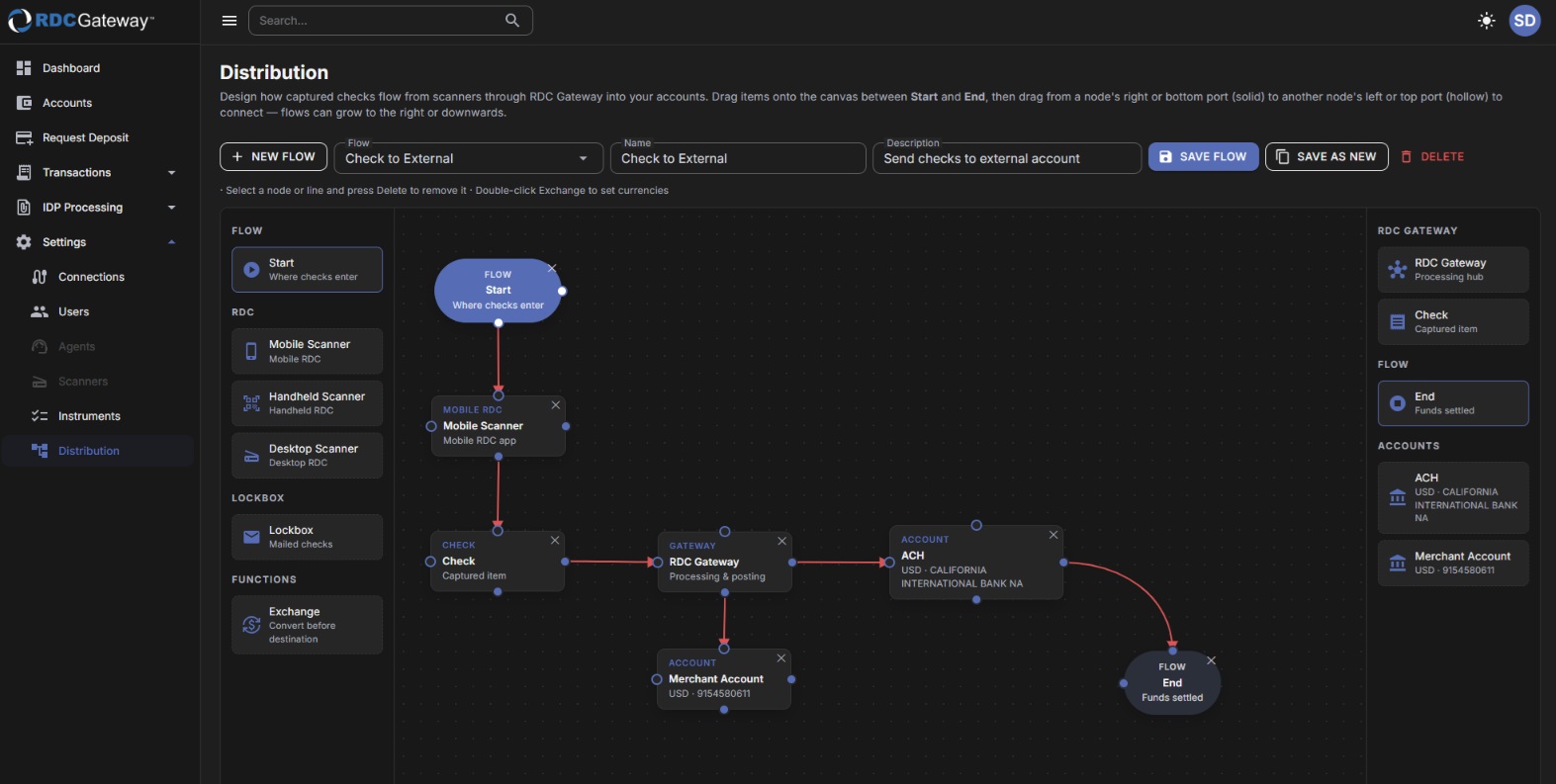
Build a flow
- Choose New flow or pick a saved flow from the Flow list and give it a name and description.
- Drag items from the side panels onto the canvas: Start and End, capture sources (Mobile, Handheld or Desktop scanner, Lockbox), the RDC Gateway hub, Check, Exchange (currency conversion) and your Accounts.
- Connect nodes by dragging from a solid port (right or bottom of a node) to a hollow port (left or top of the next). Flows can run to the right or downwards.
- Double-click Exchange to set the from and to currencies. Select a node or line and press Delete to remove it.
- Choose Save flow. Save as new will copy the current flow under a new name; Delete removes it. "Unsaved changes" in the toolbar reminds you to save.
Use a saved flow
A saved flow becomes selectable under Connections → Transmission method → Use workflow.
Related articles
- Connections
Was this article helpful?
That’s Great!
Thank you for your feedback
Sorry! We couldn't be helpful
Thank you for your feedback
Feedback sent
We appreciate your effort and will try to fix the article